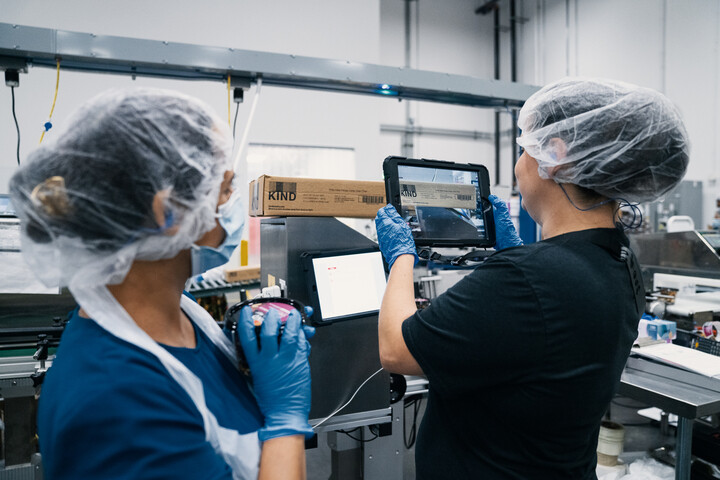
Replacing Paper Checksheets With Digital Inspections and Run Signoff


published
November 10, 2026
Key Takeaways
Replace your paper checksheet only when the digital check carries the current specification, the accepted limits, and the required response.
Start with one inspection that causes missing records or slow signoff, and test it on one line.
Connect every out-of-limit result to a named role on your team and a documented response.
Release a run when the record is complete, and hold approval when a required check is missing.
Calculate on-time checks and signoff time against the same line's benchmark data.
Digital quality inspections replace paper checksheets with line-side checks that show the current product specification, record each result, and flag exceptions. Run signoff is the approval that releases a finished production run. Redzone’s QMS software goes beyond digitizing paper forms, giving frontline teams real-time visibility into these checks and a clear path to act when something is off.
How Do You Digitize Quality Inspections in Manufacturing?
Digitize a quality inspection by turning the paper check into a controlled workflow tied to current product requirements. Each workflow defines what operators inspect, when the check is due, the accepted limits, and the required response to an exception. Work through the five steps below, starting with the inspection that causes the most delays or missing records.
Step 1: Document the Current Check and Signoff
Start with one check. Map each paper field, who completes it, when, and the steps required to release a run. Do not copy a step just because it exists, and remove duplicate fields. Make sure the software captures the user, product, shift, line, and time.
Step 2: Connect Every Check to a Specification
Link each check to a product specification or control requirement from your quality management system (QMS), the set of documented processes and standards for quality. Redzone’s Compliance module supports digital checks with embedded product specs in place of paper checksheets.
Step 3: Set Limits, Responses, and Permissions
Define your accepted limits, the necessary response to an out-of-limit result, and the role that approves a run. Use risk-based inspection planning to set each check's frequency. Assign escalation rules so that every exception reaches a named role.
{{callout1}}
Step 4: Test the Workflow on One Line
Run the workflow with your operators and quality reviewers on one line before you expand it. Ask operators where the check slows them down, and ask reviewers what is missing at signoff. Pay close attention to changeovers; when the line switches from one product to the next, confirm that the workflow loaded the correct limits.
Step 5: Compare Results Before You Expand
Compare on-time check completion and the time between production end and approval with your baseline from the same line. Use the same product family, volume, and shift pattern, so the comparison between conventional paper checks and digital checks is fair. Expand to other lines only when both measures improve and operators use the workflow consistently.
What Replaces a Paper Checksheet?
A controlled digital inspection replaces a paper checksheet by combining current specifications with entry rules, exception logic, and a traceable history. Quality checks become part of daily production work instead of documents reviewed after the run. A strong replacement preserves four kinds of information:
- Inspection context: The product, batch, line, equipment, and shift.
- Control criteria: The specification, units, accepted range, and frequency.
- Execution evidence: The operator, timestamp, result, photos or video, and corrective action.
- Approval history: Decisions, comments, and final signoff.
Redzone’s Compliance module supports run signoff and time-stamps nonconformances to location, product, and shift. Your reviewers can then find incomplete checks without reading every page.
How Does Digital Run Signoff Work?
Run signoff gathers the required inspection records and approvals into one workflow. Your reviewers focus on missing or unusual results instead of sorting paper and checking every field.
Build the process around objective release requirements. Specify which checks must be complete, which exceptions need closure, and who is authorized to approve your run. When a required check is missing, hold approval and keep the unfinished work visible.
In practice, the workflow confirms that scheduled inspections are complete, flags missing entries and out-of-limit results, and collects each response with its evidence. An authorized reviewer then resolves open exceptions, and final approval records the reviewer, the decision, and the time. Your quality team can review records during production instead of waiting for paper after the run.
What Does Run Signoff Look Like on a Sealing Line?
Suppose a pouch line finishes a run with 12 scheduled seal checks. The signoff record shows 11 complete checks, including one out-of-limit reading that's still open, and one missing entry.
During the run, that out-of-limit reading triggered an alert to the supervisor. A notification for every small variation hides the important exceptions, so set alerts for actionable conditions only. Assign each alert to a role with a defined escalation time.
The operator explains the missing entry and attaches evidence, and the supervisor documents containment for product made since the last good reading. An authorized reviewer then resolves both exceptions and approves the run. The record is complete.
{{callout2}}
What Can Digital Inspections Do, and What Can’t They?
Digital inspections give you time-stamped records, current limits at the point of use, and faster review, because reviewers see exceptions instead of every field. A shared record also helps your team find the first failed check when a quality problem appears.
They cannot fix a weak inspection. A check with the wrong limit or no defined response only records the same problem faster. Weak checks add to your cost of quality, so review each check’s purpose before you digitize it.
Audit readiness depends on the controls you configure, such as user identity, approvals, and retention. Requirements differ by industry, so confirm them against the standards that apply to you. The ISO 9001 data integrity review covers record completeness in more detail.
Why Choose Redzone for Digital Quality Inspections?
Redzone is the #1 Connected Workforce Solution for factories, founded in 2013 and acquired by QAD a decade later. Over 2,000 factories and 600,000 users across 39 countries use Redzone.
Redzone’s Compliance module supports digital checks with embedded product specs, configurable triggers that escalate noncompliance, and audit trails ready for inspections. Operators work on iOS, Android, and the web, so checks can happen where production happens.

Frequently Asked Questions
Can I use tablets or phones for quality checks?
Yes. Redzone runs on the web, iOS, and Android, and operators can enter results at the line. Choose devices that suit your environment, such as washdown areas.
What happens when a result is out of specification?
The workflow flags the result, notifies the assigned role, and records the response. Containment and investigation follow your documented procedure, and authorized people decide what happens to affected product.
How do I keep operators from skipping or prefilling checks?
Use time-stamped entries, and review late or missing checks during the run instead of afterwards. Pair that review with operator feedback, so each check is practical.
Do digital inspection records meet audit requirements?
They can support audits when they preserve user identity, timestamps, approvals, and deviations. Redzone’s Compliance module lists support for standards including ISO 9001, IATF 16949, SQF, BRC, and FDA requirements. Confirm retention and access rules for your industry.
Will digital checks duplicate data I already enter in other systems?
Redzone integrates with QAD, SAP, Oracle, and other manufacturing software, so product specs and lot data can flow into checks instead of being typed twice. List the fields your operators enter today and where each one comes from.